Google Search Console said 'Redirect error.' My browser just got a 301.
Search Console told me three of our pages failed to index because of a "Redirect error." I went to go fix a redirect loop. There wasn't one.
I run the seosikchukchuk.com property on Google Search Console (one of the sites behind this hub). Today a routine mail check turned up a fresh notification: "New reasons prevent pages from being indexed." I opened the Page indexing report and found a new category sitting at the top: Redirect error, 3 affected pages, first detected Nov 14.
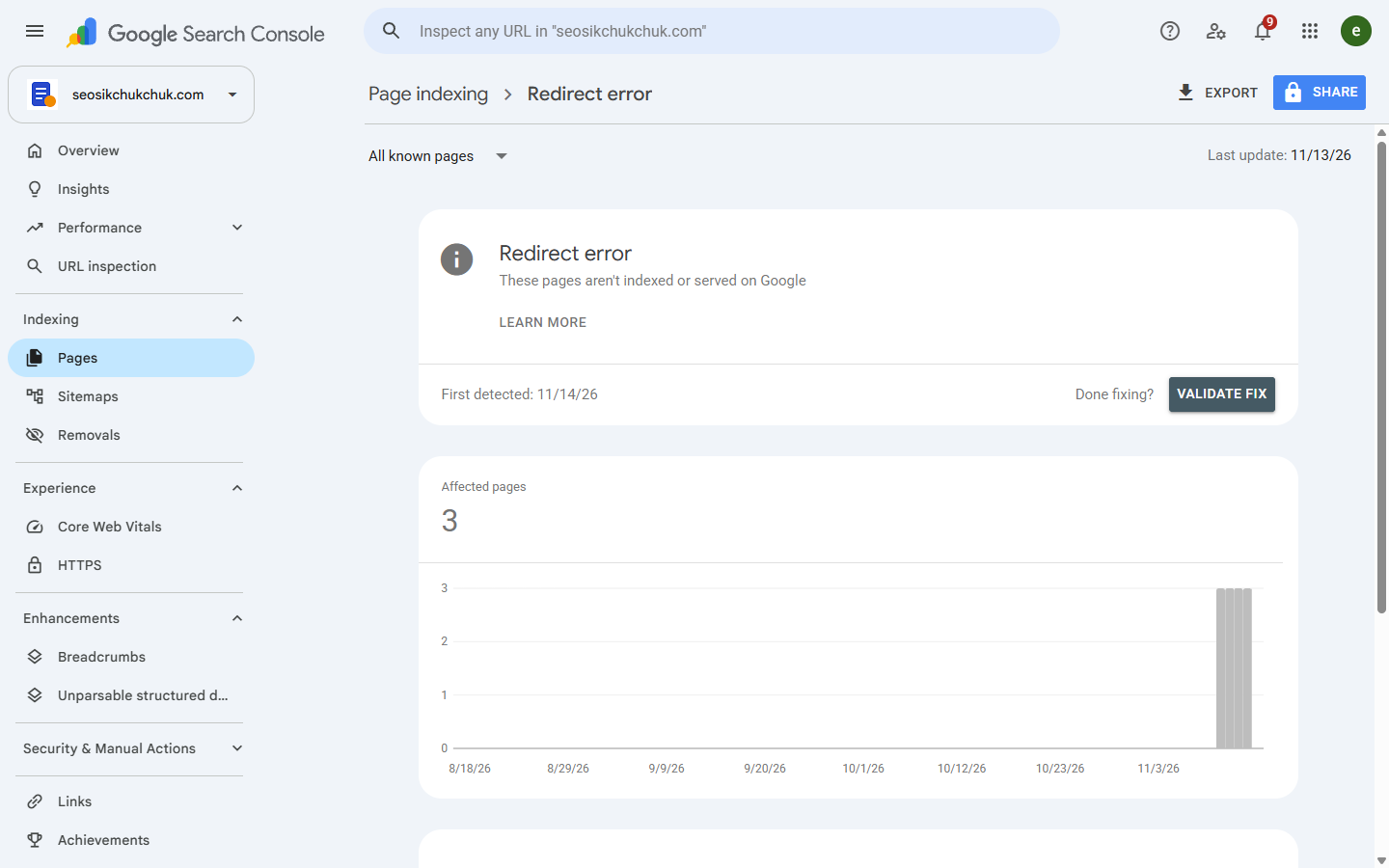
The three URLs were old /guides/ pages that we 301-redirect to their matching /tools/ pages after a content consolidation a while back. Nothing unusual about that pattern by itself, so I opened the URL Inspection tool for one of them.
What Search Console actually showed
The report was specific, not vague. It said "Page is not indexed: Redirect error," crawled as Googlebot smartphone, last crawl Nov 13, 5:50:10 PM. The exact line that stopped me: Page fetch: Failed: Redirect error.
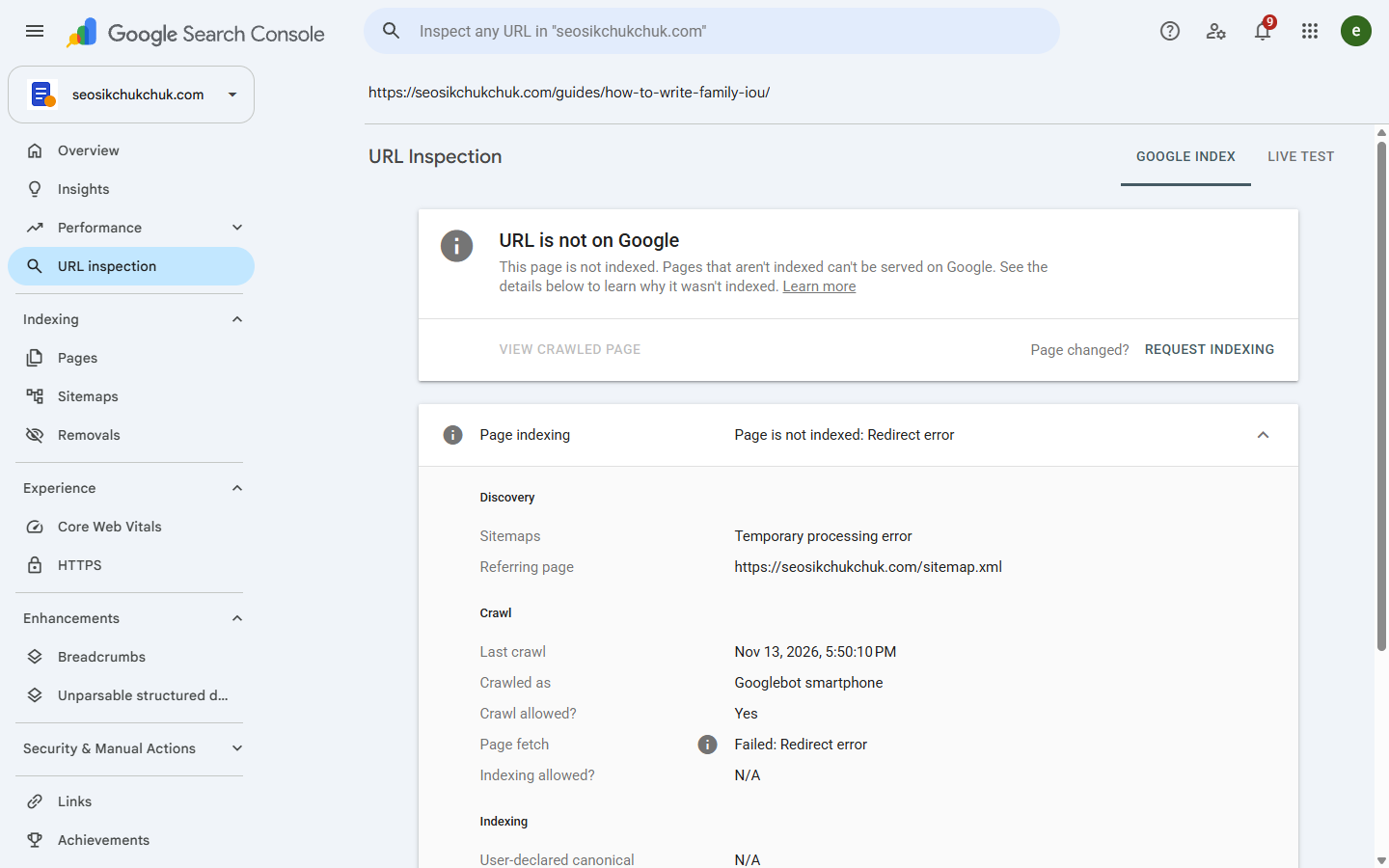
A failed page fetch due to a redirect usually means one of: a redirect loop, a chain that's too long, a mixed protocol bounce (http to https to http), or a redirect to a URL blocked by robots.txt. I've broken redirects before in exactly these ways, so I didn't assume Google was wrong. I went and fetched the URL myself the same way a crawler would, with the redirect left unresolved so I could see each hop.
What my own fetch saw
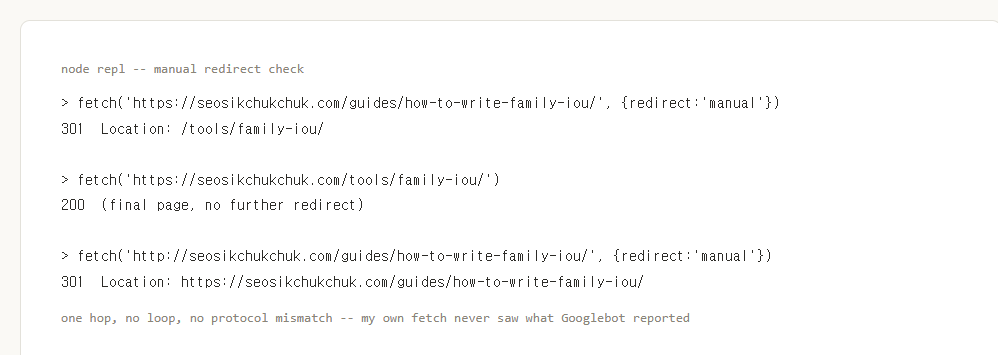
The guide URL returned a clean 301 to the matching tool page. That tool page returned 200 with no further redirect. The http version of the guide URL 301'd straight to https, one hop, same as any normal site. I checked three times because this is exactly the kind of thing I'd expect myself to get wrong on the first read. I didn't find a loop, a long chain, or a scheme bounce.
So either the report was stale, or Googlebot hit something transient on Nov 13 (a cold Worker, a timeout, a bad moment for whatever routes that redirect) that a plain fetch two days later wouldn't reproduce. I couldn't tell which from the report alone, so I ran Search Console's own Live Test, which re-fetches the URL right now instead of showing the cached crawl result.
The live test disagreed with the stored report
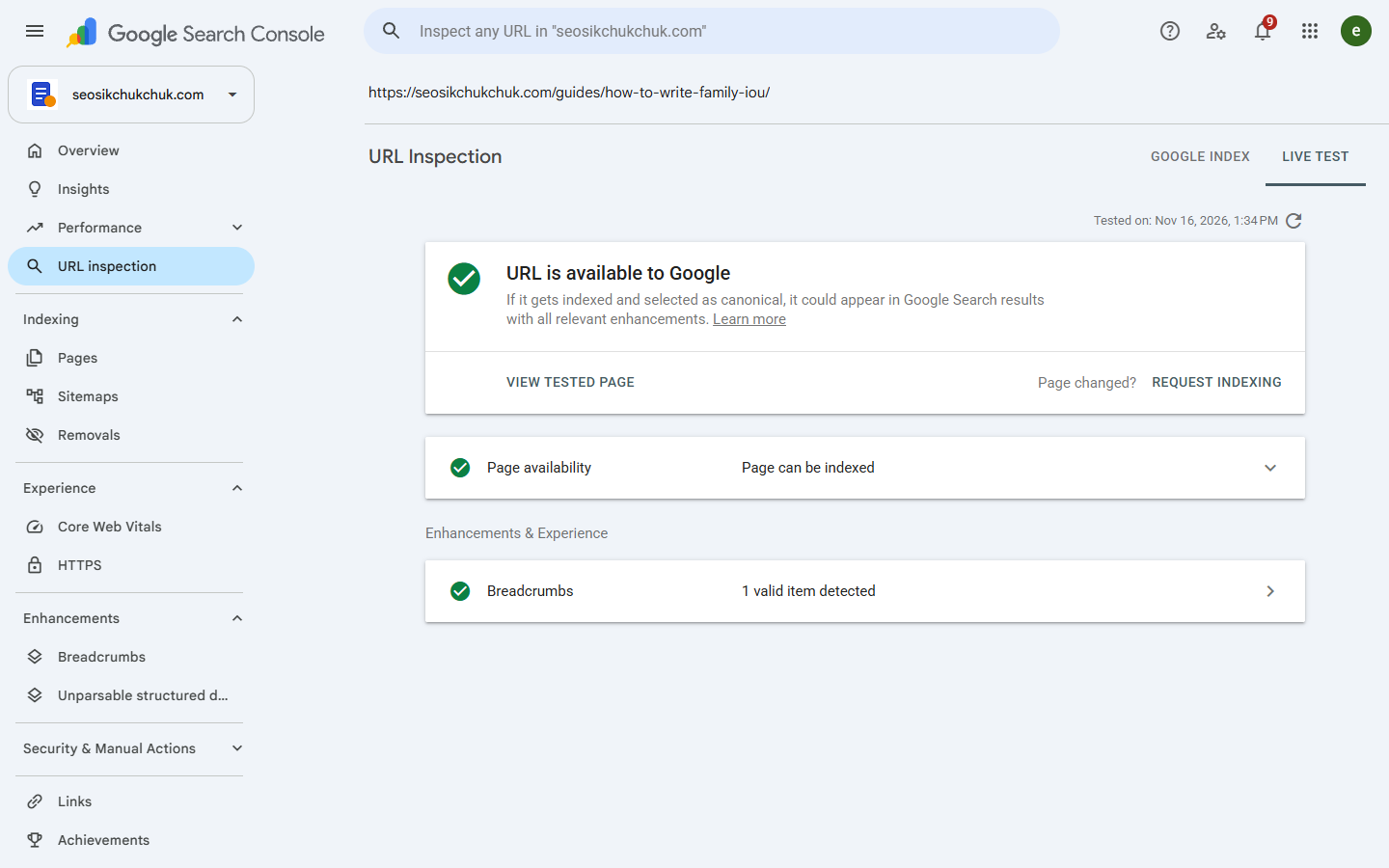
Tested on Nov 16, 1:34 PM: "URL is available to Google." "Page availability: Page can be indexed." No redirect error at all on the fresh fetch. The Google Index tab and the Live Test tab are looking at the exact same URL and currently disagree with each other, because one of them is showing a crawl from three days ago and the other is showing right now.
This is the actual lesson, and it's not about our redirects: the Page indexing report in Search Console is a cached result, not a live status. "Last crawl: Nov 13" was printed right there on the page the whole time; I just read past it the first time because the headline ("Redirect error") read like an active, ongoing problem. It isn't necessarily one. It's a snapshot of what happened on one specific crawl attempt, and Google re-crawls on its own schedule, not mine.
Caveat, because three pages isn't a lot
I tested one of the three URLs live and it passed clean. I didn't force-reproduce a Nov 13-style failure on any of them, so I can't say for certain what actually happened that day, only that it isn't happening now. If the same category reappears with a growing page count instead of a flat 3, that would point to something real and ongoing rather than a one-off blip, and I'd go dig into the redirect Worker's logs around the timestamp instead of trusting a single live test.
What I'd actually do with this report next time
- Read the "Last crawl" timestamp before reacting to the error name. A report dated days ago describes a moment, not a current state.
- Reproduce the fetch yourself with redirects left unresolved (
redirect:'manual'in fetch, or curl's-I --max-redirs 0) so you see each hop instead of just the final destination. - Run the Live Test before "fixing" anything. It costs one click and tells you whether the problem is still there.
- If it's clean live, hit Validate Fix instead of touching the server. If it's still broken live, you've confirmed a real bug and now you have matching evidence to debug it with.
I validated the fix on the one page I live-tested and I'll check back on the other two and on the affected-page count over the next few crawls, since Search Console updates that drilldown with its own timing, not mine.
I build free, no-upload browser tools at Tools That Don't Upload (disclosure: I made it), and I write up whatever breaks or surprises me while running the sites behind it.