A field called 'lang' said Korean. The captions were in perfect English.
I synthesized twelve seconds of English speech with Windows' own text-to-speech engine, fed it to a brand-new, not-yet-reviewed subtitle workflow, and told the tool explicitly that the audio was English. The transcript came back perfect, three cues, zero mangled words. Then I opened the result JSON to double check and it said "lang": "ko". I stared at that for longer than I'd like to admit.
The setup
The tool is "Video subtitle draft": you give it 1 to 50 audio or video files, it runs a local Whisper model, times out the cues, flags overlaps and line-length problems without fixing them, and hands back an SRT plus a review spreadsheet. I'd already seen a sibling tool (plain audio transcription) default to Korean and mangle English audio into nonsense a few days earlier, so I went in expecting the same trap and set options.language to "en" on purpose before running anything.
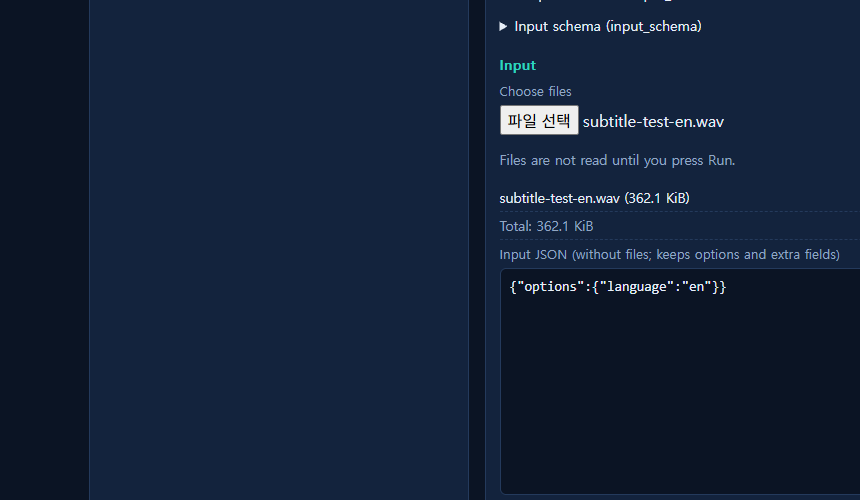
The transcript was exactly right
I used Windows' System.Speech synthesizer to generate the clip myself, so I knew the ground truth word for word: "Hello there. This is a short English test clip for the subtitle workflow. We are checking if it stays in English." The model took about 25 seconds to load and run (a one-time whisper-small download, cached after that), and the output .srt matched it almost verbatim, down to correct cue timing and sentence breaks.
1
00:00:00,000 --> 00:00:01,000
Hello there.

2
00:00:01,560 --> 00:00:04,920
This is a short English test clip for the subtitle Workflow.

3
00:00:05,560 --> 00:00:07,720
We are checking if it stays in English.
No garbled characters, no accidental translation into Korean, no dropped sentence. The explicit language option clearly reached the transcription step and did its job.
Then the metadata disagreed with its own output
I opened the result JSON out of habit, mostly to log the processing time, and found this sitting right next to a completed, accurate English transcript:
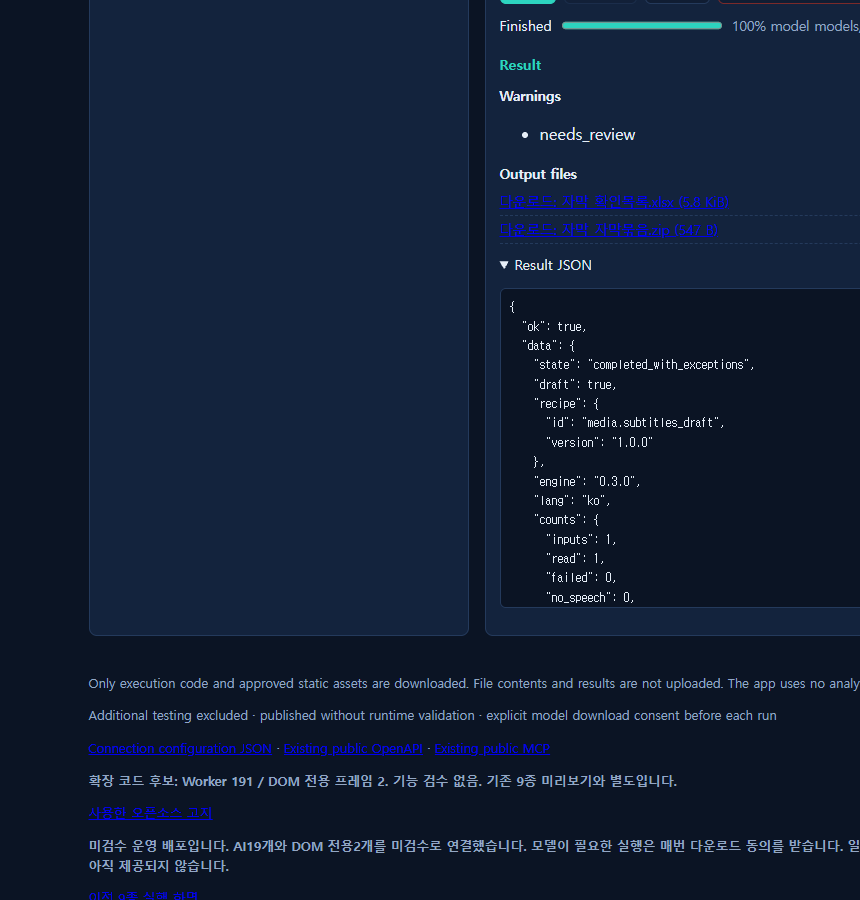
{
  "ok": true,
  "data": {
    "state": "completed_with_exceptions",
    "lang": "ko",
    "counts": { "inputs": 1, "read": 1, "cues": 3, "problems": 1 },
    "warnings": ["needs_review"]
  }
}
My first assumption was a real bug, the kind where a hardcoded default silently overrides a user's explicit setting somewhere downstream. So I went digging through the published source rather than guessing. What I found was less alarming but still worth flagging: this particular lang field doesn't describe the audio's language at all. It's a separate option, output_lang, that only controls whether the generated review spreadsheet and the readme file inside the zip use Korean or English column labels. I'd set language (the transcription option) but never touched output_lang (the document-labels option), so it quietly fell back to its own default of Korean, and the field just happens to be named the same four letters as the thing I actually cared about.
So: not a transcription bug. The audio-language handling worked exactly as asked. But a field named lang sitting in a transcription result, reporting the spreadsheet's label language instead of the detected or requested speech language, is exactly the kind of thing that would make someone building an automated pipeline log a false alarm, or worse, trust a field that silently means something other than what its name implies.
What I'd tell someone trying this today
If you need the captions themselves in a specific language, set options.language explicitly and trust the actual .srt output, not the top-level lang field in the JSON. If you also want the review spreadsheet and readme text in English, you need the separate output_lang option too. I filed this as a naming-clarity note rather than a functional defect, since nothing was actually broken, but it's the kind of ambiguity that's worth knowing about before you wire this into something unattended.
Network requests during both the transcription run and the download: zero, checked with a request listener running the whole time, consistent with the tool's own "files are processed only inside this browser" note.
You can try the workflow yourself at workflows.toolsthatdontupload.com, read more about how these unreviewed workflows get published in the docs page, or see an earlier test of a different new workflow in the billing tool that broke on a field I never touched.