How to actually check that a free tool doesn't upload your file
"Your file never leaves your device" is printed on a lot of tool pages, including mine. It is also the easiest claim in the world to type and the easiest to fake, because most people never check it. I check it on every tool I ship, and I check it on other people's tools before I trust them with anything real. Here is the exact method, the one time it told me the wrong answer, and how to fix that.
Step 1: open the real Network tab, not a script you wrote
The fastest check does not need any code. Open your browser's devtools (F12, or Cmd+Option+I on a Mac), click the Network tab, clear it, then use the tool: pick a file, run the action, download the result. If the claim is true, you should see nothing load except the page's own HTML, CSS and JS at the start, and zero new entries once you start working with your file. If a request to some other domain appears the moment you click "convert" or "merge", that is the whole investigation right there.
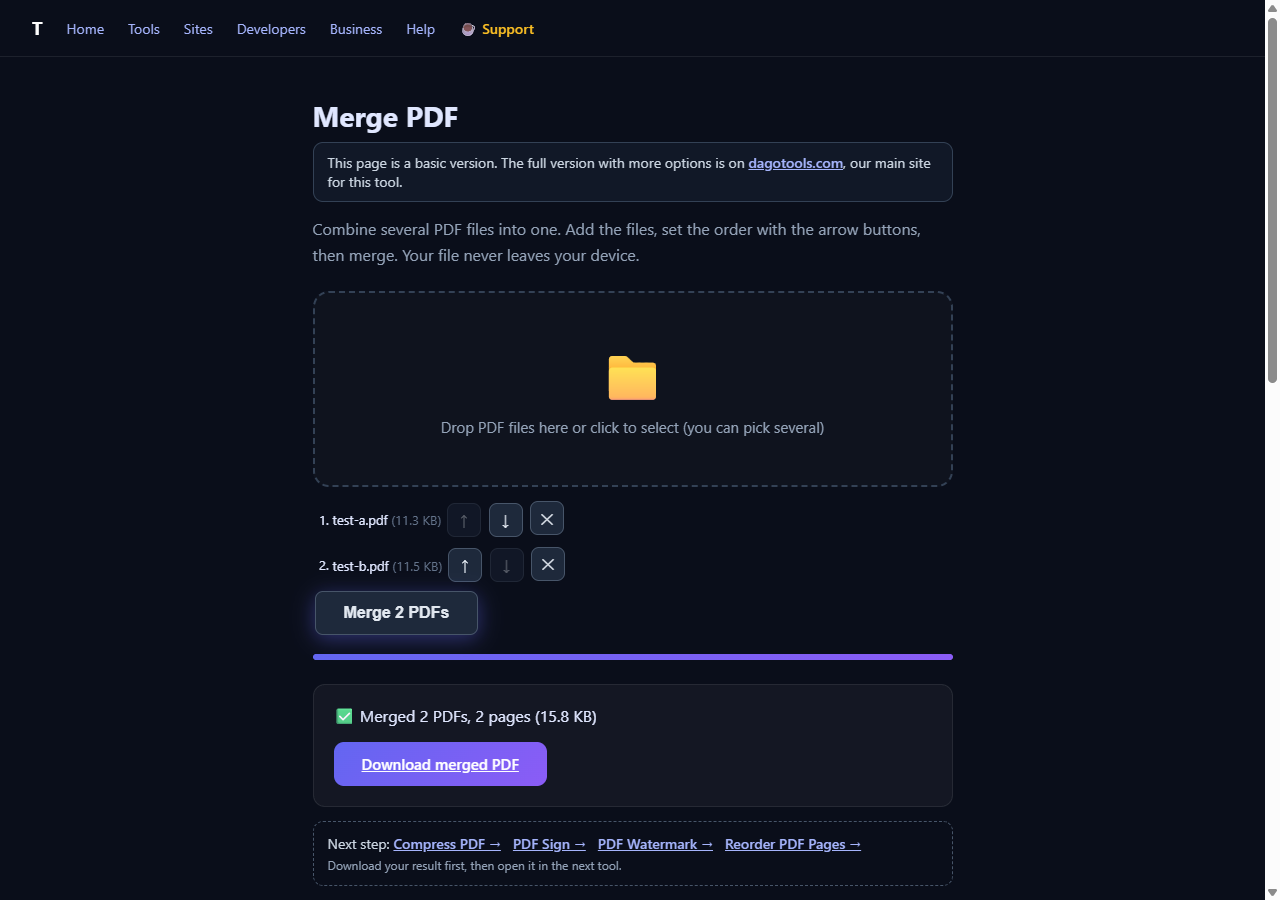
I ran this on Merge PDF just now, with two single-page PDFs I made myself for this test (no real documents involved). I merged them, watched the Network tab the whole time, and got the result below with nothing new in the request list.
Step 2: don't stop at a page-level request listener
If you're scripting this check instead of watching devtools by hand (which is what I do, since I test dozens of tools a week), there's a gap worth knowing about. A page-level request listener is the obvious tool to reach for, and it catches most things. It does not reliably catch requests that get routed through a service worker, because the service worker can intercept the fetch before it ever reaches the listener you attached to the page.
I found this out the hard way testing a different tool on this site, the password breach checker. My request listener logged zero requests, but the page itself was printing the exact hash prefix it claimed to be sending, which meant something was happening that my listener wasn't seeing. The fix was switching to the browser's own resource timing data:
performance.getEntriesByType('resource').map(e => e.name)That list is populated by the browser's actual network stack, not by a page script, so it sees service-worker-routed requests that a request listener can miss. Running it after using the password checker turned up four real requests, each one a short call to api.pwnedpasswords.com/range/<5 characters>, nothing resembling the password itself. The zero-upload claim held up, but my original check method would have told you "zero requests" for the wrong reason.
What I actually run on every tool I test
Two checks, not one, because they catch different failure modes:
- A page-level request listener (or just the Network tab) for the common case: a tool that quietly calls a server with your file in the body.
performance.getEntriesByType('resource')for the case where a service worker is in the mix. First check if the page registers one at all withnavigator.serviceWorker.getRegistrations(); if that list is empty, your request listener is already trustworthy and you can skip the second check.
For Merge PDF above, navigator.serviceWorker.getRegistrations() came back empty, so a plain request listener was already the correct tool, and it agreed with the resource-timing list: zero entries either way. For the password checker, the service worker was there, and only the resource-timing check told the truth.
A few things this check will not tell you
Zero network requests during the file operation does not mean a tool has no network activity at all. Analytics or ad scripts can load on page open, before you've touched your file; that's a separate thing from your file being sent anywhere, and worth distinguishing rather than lumping together as "it phones home." It also doesn't prove what happens if you explicitly choose a server-backed mode, like entering your own API key for something that calls a real API by design, read the page copy for that distinction instead of assuming every feature on a site works the same way.
And it's a live check, not a guarantee about every future version of the tool. If you want a stronger version of this, turn off Wi-Fi after the page has loaded and confirm the tool still works. If it does, nothing it needs was going to be fetched later either.
Try it on anything, including this site
You don't need to take any privacy-first tool's word for it, including mine. Pick a tool, open the Network tab, use it, and look. If you want to go one step further and rule out the service-worker blind spot, paste the one-liner above into the console after you're done. It takes less time than reading this post did.
Disclosure: I built toolsthatdontupload.com and dagotools.com. The merge test above used two PDFs I generated myself for this post; no real files were involved.