I removed a background offline and the crop size matched the math exactly, down to the pixel
Another unlisted tool showed up in our test catalog this week with the same "published without runtime validation" banner as last time, so I did the same thing I always do: upload a file and watch the Network tab like it owes me money.
This one removes the background from a photo. It bundles a small AI model called U-2-Netp that's supposed to run entirely inside the browser tab. I wanted to know two things: does anything actually leave the machine, and when you ask it to crop to the subject, does the math on the output actually add up.
The test image
I drew a brown blob (a head and a body, nothing fancy) on a noisy green-to-orange gradient using a canvas element and exported it as a 900x700 PNG. No real photo, no personal data, just enough visual complexity that a background remover can't cheat by assuming a flat color.
Run one: transparent cutout
With {"options":{"output":"cutout","soft_edges":true}} the tool returned a 26.4KB PNG. I decoded it back to a canvas and read pixel values directly: corners were alpha 0 (fully transparent), the center was alpha 255 with color (139, 94, 60) - an exact match to the fill color I used for the subject. Clean cutout, first try.
Run two: colored background plus crop math
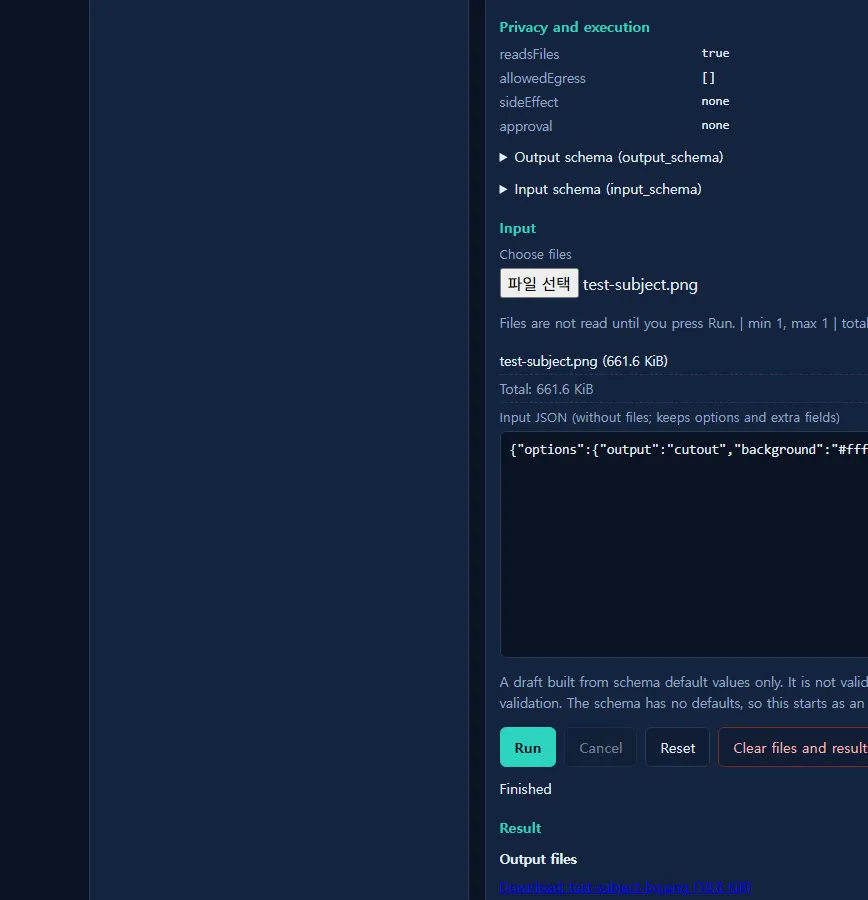
Second run, different options: {"options":{"output":"cutout","background":"#ffffff","crop_to_subject":true,"crop_padding":20}}. This is where it got interesting. The result JSON reported a subject_box of 281x509 pixels. The output PNG came back at exactly 321x549 pixels.
281 + 20 + 20 = 321. 509 + 20 + 20 = 549. The crop wasn't approximate, it was the subject bounding box plus the padding value I specified, applied on both sides, to the pixel. I checked the corner pixels on this one too: (255,255,255,255), solid white, not transparent.
Numbers, for the record
| Metric | Value |
|---|---|
| Network requests (both runs) | 0 |
| Processing time | ~2.2-2.3 seconds, 900x700 input |
| Model | u2netp, onnxruntime-web, wasm runtime |
| Foreground ratio | 0.1641 |
| Crop output | 321x549 (subject 281x509 + 20px padding each side) |
What I didn't test
I used a single flat-colored shape, which is the easy case for any segmentation model. I did not try hair, glass, lace, or anything with fuzzy or semi-transparent edges, so I can't tell you how clean the result stays on a harder photo. I also only ran it on desktop Chrome; mobile loading time for the model is untested. And the input JSON box starts empty with no schema defaults, so I don't know what happens if you hit Run without setting any options - I always set them explicitly.
Tools like this one: toolsthatdontupload.com. More notes on how we check "no upload" claims: the blog. Previous post on the same unpublished catalog: the PDF compressor that failed one mode out of four.