I fed a brand-new workflow the same receipt twice. It held both, not one.
I assumed any half-decent duplicate detector would keep one copy and flag the other. That's what I'd build. So when I got my hands on a new unverified workflow that bundles receipts into an expense report, the first thing I did was try to trick it, and it didn't do what I expected at all.
The tool is called Receipt expense report bundle. It takes 1 to 100 receipt images, PDFs, or text files plus some category rules, and spits out a draft expense workbook and one evidence PDF. It's still marked "not tested" in the catalog, which in my experience means it's exactly the right moment to go poke at it before anyone else does.
The setup
I drew three fake receipts on a canvas element so there's zero real personal data anywhere in this: one coffee shop receipt for 15,500 KRW, one office supply receipt for 8,900 KRW, and then I duplicated the coffee shop receipt with one word changed (just "(reprint)" added at the bottom) so the merchant, date, and total all matched exactly. I also gave it a tiny classification rule set, mapping coffee-shop keywords to one category and office-supply keywords to another.
What I expected vs. what happened
My mental model: duplicate detection keeps one, holds the other, maybe flags it for review. What I got back:
"counts": { "files": 3, "included": 1, "held": 2, "duplicate_groups": 1 }
Both copies of the coffee receipt got held. Neither made it into the total. Only the office supply receipt counted, for 8,900 KRW. If this had been a real coffee purchase I actually made, the tool would have quietly dropped the entire 15,500 KRW from my expense report, not because it didn't trust the number, but because it refused to guess which copy was the "real" one.
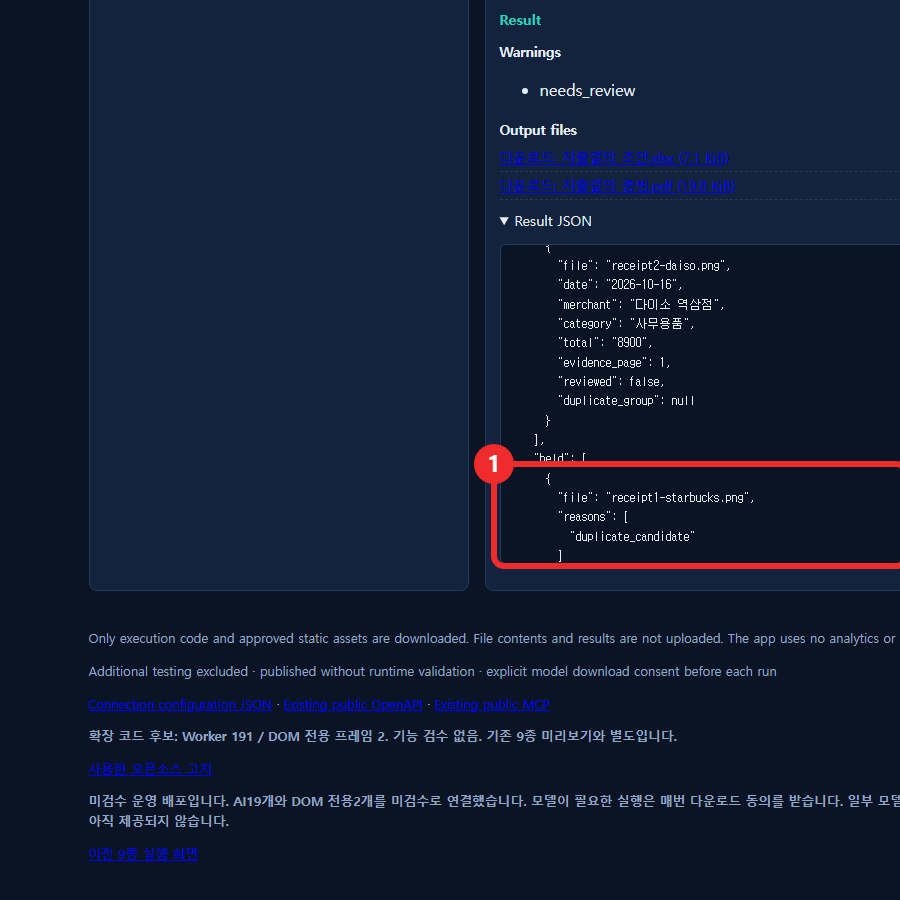
Why this is actually the safer design, even though it annoyed me
Once I stopped being annoyed, I got it. The matching rule looks like same merchant, same date, same total, and if all three line up it holds both and waits for a human instead of guessing. The honest downside: if you genuinely buy the same coffee twice in one day for the same price, both of those legitimate receipts could land in the held pile too. The tool isn't smart enough to tell "duplicate paper" from "duplicate price coincidence," and it says so implicitly by making you fix it yourself through an overrides object with date, total, merchant, and a confirm flag.
What I watched while this ran
I attached a request listener before uploading anything and ran it twice (once in Korean UI, once after switching to English). Total external network requests across both runs: zero. Processing time for three files: 1.8 seconds. Output was two files, an xlsx draft and a merged evidence PDF, both of which I downloaded and opened. Nothing about the held receipts got silently merged back in; they just sit in the JSON under held, unresolved, until someone looks at them.
Where this fits
This is one of a batch of brand-new workflow candidates that haven't been through our review process yet, same as a few other tools I've poked at this week. For something still labeled "not tested," catching exact-match duplicates and being upfront about holding both instead of silently picking one is a reasonable place to start. I wouldn't file an actual expense report from it without checking the held list first, and apparently neither should you.
Related: I ran a PDF through four compression modes and one refused to run, I removed a background and the crop math matched exactly, API docs.